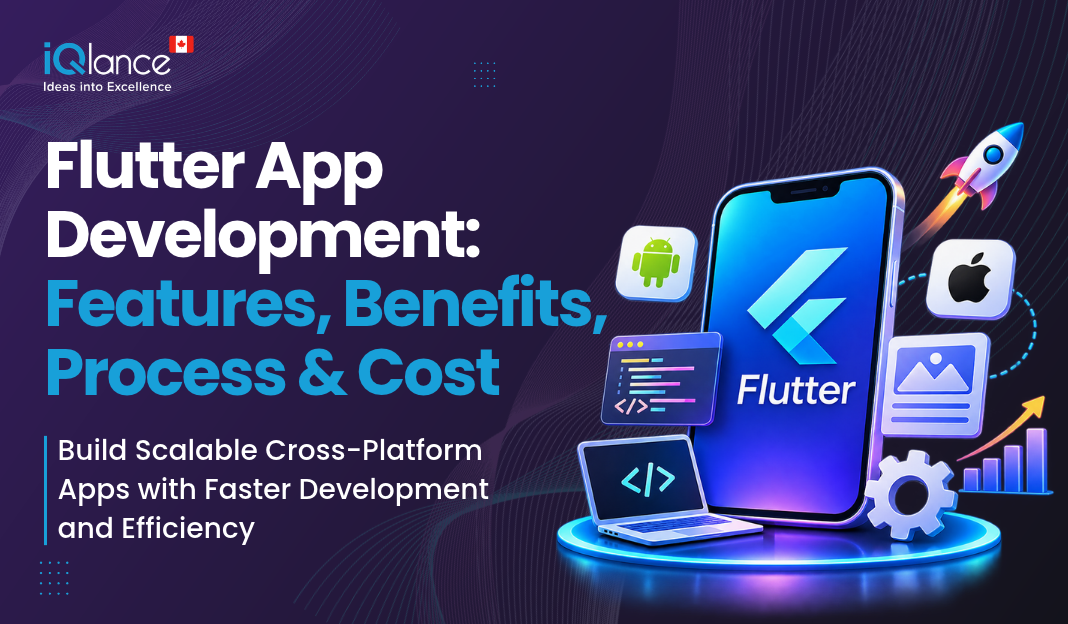
Flutter App Development: Features, Benefits, Process & Cost
Introduction
In Canada, businesses of all sizes use mobile apps to connect with customers and expand their services. The right technology makes it easy for them to create applications for both mobile operating systems.
Flutter is a framework created by Google. It lets app builders write for several platforms using a shared codebase.
A survey of industry data by Google’s Flutter team shows that Flutter accounted for roughly 30% of new free iOS apps released at the beginning of 2025.
Flutter app development can reduce duplicate code and build time for Canadian startups and existing companies. It also ensures the user experience is the same across all devices.
This blog explains key features, advantages, the development process, and costs of Flutter apps in Canada. It also includes guidelines for selecting a development team.
What Is Flutter App Development?
Flutter is an open-source framework created by Google. It makes the job of application developers easier to create mobile, web, and desktop applications. Dart is the programming language Flutter uses.
Flutter mobile app development gives developers the same codebase to produce Android apps and iOS apps. This decreases the need to create features distinctly for each platform.
It is possible for businesses to use Flutter to create e-commerce apps, booking platforms, delivery apps, or business tools. For instance, a Canada-based retailer could develop Android and iPhone apps to make shopping possible.
Flutter also offers pre-built components for designing the app. These components can be customized from a developer’s point of view to align with a business’s brand. This makes Flutter an excellent choice for businesses of all sizes.
What Are the Key Features of Flutter App Development?
There are a number of features in Flutter that make it easy for developers to make mobile apps. The features allow code reuse, flexibility, and third-party integrations.
Flutter has several features that enable efficient mobile app development. These include code reuse, flexibility in design, and integration with business services.
Single-Codebase Across Multiple Platforms
Because Flutter is designed for code reuse, developers can use much of the same code for both Android and iOS applications. This minimizes duplication of effort and makes it easier to maintain.
For instance, an online business might provide code to have its product listings, customer accounts, and shopping carts on its website.
Hot Reload
When developers make multiple code changes, they can see those changes using hot reload, where they don’t need to restart the whole application. This will enable them to test design and resolve concerns more quickly.
For example, developers can change a button’s color and quickly view the result. A few changes still need to be restarted.
Rich Widget Library
Flutter has pre-designed widgets for buttons, forms, menus, and much more. They can be easily tailored to fit their app’s look and feel.
Flutter adopts Material Design and Cupertino widgets. These support the creation of Android and iOS user interfaces.
High Performance
Flutter translates Dart code into native machine code for mobile apps to deploy. This helps ensure smooth animation and reactive interactions.
App complexity and app code quality also play a part in performance. Testing and optimization are still important.
API and Platform Integration
Flutter apps can integrate with back-end services, payment gateways, and user authentication systems. They can share data with other apps via APIs, too.
Such as adding push notifications, GPS integration, and other device capabilities. A GPS can track location data for a delivery app, for instance, and the payment gateway can secure the payment of orders.
What Are the Benefits of Flutter App Development?
Flutter app development provides several advantages such as reduced effort in development, quicker updates, and a uniform user experience.
Cost Efficiency
Flutter enables developers to leverage their existing code for Android and iOS applications. This can lead to cost and development time savings.
But design, backend development, testing, and integrations can also impact the overall cost.
Faster Time to Market
Flutter provides reusable code and hot reloading for efficient development. Developers will be able to build and test features more quickly.
Once the apps are available, they can be enhanced with feedback or created earlier with proper planning.
Consistent User Experience
Applies a consistent design to Android and iOS. Similar colors, layouts, and navigation can be used on both platforms by businesses.
This provides comfort to users, as well as uniformity in brand.
Scalability for growing business.
These features can be added with the growth of the business. For example, in order to get a startup going, it may be possible to sign up users and list products.
It can then add payment, loyalty programs, and reports. MVP App development is better if they want to test their idea before going through the hassle of developing an entire application.
Strong Development Ecosystem
The Flutter team provides documentation, packages, and development tools. These resources can be used to build and keep applications in place.
Flutter is also great for cross-platform app development. The same codebase can be used to target both Android and iOS.
How to Develop an App for Flutter?
A clear Flutter app development process helps businesses plan projects. It also allows cost control and reduces development issues.
Step 1: Discovery and Requirement Analysis
The first step is to understand the business intent and user needs. The team identifies project needs, budget, and project size.
A delivery app could require user records, online payments, and order tracking, for instance. Product listings, shopping cart, and order management could be needed in an e-commerce app.
The team reviews user needs & business priorities as well. This is to assist you in creating a need vs. a want list.
Step 2: UI/UX Design and Prototyping
Wireframes and app screen layouts are designed. They also create prototypes to demonstrate the app’s functionality.
The team is dedicated to navigability and good form. This makes the user’s task easy to achieve.
There is also a focus on accessibility, line-of-sight text & branding uniformity. Before development, businesses can preview the prototype.
This feedback can minimize BIG changes to the design later.
Step 3: Development Planning and Architecture.
Developers choose the app architecture and how the state is managed. They also select the front-end technology and the database.
The team designs integrations & security. These may include user authentication, data storage, and access controls.
The easier it is to keep an app functioning, the better. It also enables developers to drive future updates.
The stages of designing and deploying an application.
Step 4: App Development and Integration.
Following the instructions to build the app using Flutter and Dart. The app is developed using Flutter and Dart methods. They design screens and configure the selected features.
They also integrate APIs, databases, and payment gateways with the app. Maps, email, and push notifications are other possibilities for integration.
The team proceeds through stages to develop the application. Frequent reviews can help align the app with business needs.
Developers test features while developing! This helps to detect problems earlier than the testing phase.
Step 5: Testing and Quality Assurance
The testing team tests the Application for bugs & performance. Gives different devices and screen sizes a test look.
The following are several areas tested:
- Functional testing: Tests that features perform as intended.
- Performance testing: Tests the loading time and responsiveness.
- Security testing: Verifies access and security.
- Usability testing: Verifies that the app is user-friendly.
- Compatibility testing: Validates devices and operating systems.
The team resolves found defects before release. This aids reliability and fulfillment.
Step 6 – Deployment and Maintenance.
Once the app is tested, the team prepares it for launch on the Apple App Store and Google Play Store. The app must comply with the stores’ requirements.
Preparing release builds, app description, screenshots, etc. The review process depends on store approval.
The team monitors performance after launch and resolves bugs and implements workarounds. Frequent updates ensure compatibility with newer OS versions and a secure application.
Customer feedback may also drive new features and/or maintenance improvements.
These steps help you create an app that meets users’ requirements. It also sets out a clear development management plan.
How to Get a Flutter App Developed in Canada?
The cost of Flutter app development in Canada will vary based on the design, features, and complexity of the app. The following figures are estimates for budgeting purposes. Actual costs depend on project size and the development team.
| App type | Estimated cost (CAD) |
|---|---|
| Basic or MVP app | $20,000–$40,000 |
| Medium-complexity app | $40,000–$100,000 |
| Application with multiple components or functions. | $100,000–$200,000+ |
Registration and user profiles may be part of a basic-difficulty app. For medium-complexity apps, you can include payments, notifications, and API integrations. Complex business integrations and advanced security may be needed for enterprise apps.
There are several factors that impact the final cost:
- Features: The more features, the longer development will take.
- Design: Custom screens and animations can increase costs.
- Backend programming: Databases, APIs, and admin panels are also part of the job.
- Integrations: There may be additional development needed for payment integration services and external services.
- Testing: Complex applications require more testing and quality checks.
- Maintenance: Ongoing costs can be incurred from updates and bug fixes.
Businesses have control over costs, starting with essential features. They can add sophistication as their needs change.
Before starting app development, you must review the projected cost. Specific to the project, a detailed estimate should be created.
How to Choose the Right Flutter App Development Team?
The right development team can make your idea a reliable mobile app. When you’re weighing whether to take a relative on the trip, consider the following:
- Review the portfolio: Review their portfolio of past projects and experience.
- Assess technical skills: Look for proficiency in Flutter, Dart, API and back-end solutions.
- Make estimates of costs and time: Ask for greater detail in terms of milestones and deliverables.
- Confirm ownership: Make sure that a contract is made covering source code and intellectual property.
- Ask questions about the support system: for bug fixes, updates, and maintenance.
If you’re looking for a Flutter app development service, pick one that is familiar with your business objectives. It’s also crucial that everyone involved in the project understands the communication.
With a professional mobile application development company, you can plan, develop, test, and launch. It can also help in rebuilding the app after publishing.
Conclusion
Flutter is a good option to build Android and iOS apps. It enables developers to reuse code, maintain flexibility, and develop efficiently.
Before you begin, check your features, budget, and time. Choose the appropriate development team for the project.
iQlance can help you explore a mobile app solution that fits your business. Contact us to discuss your app concept and create your next project.
Frequently Asked Questions

 Previous Briefing