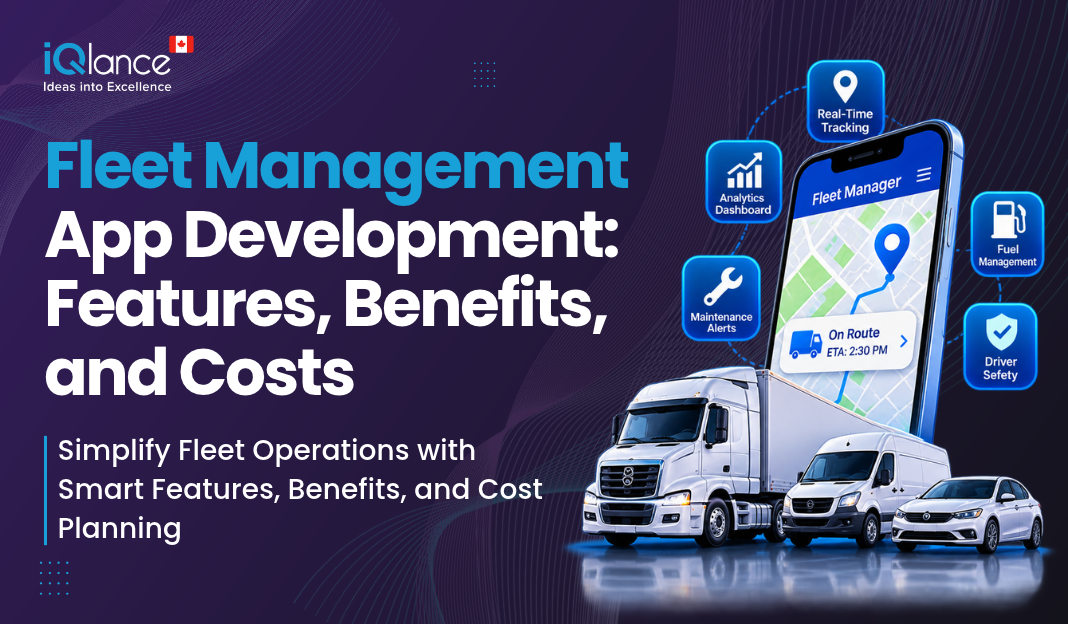
Fleet Management App Development: Features, Benefits, and Costs
Introduction
Fleet management requires significant time and planning. Businesses must monitor vehicles, drivers, fuel expenses, and maintenance. They also should arrange deliveries and maintain vehicles. As a business grows or has multiple locations, these tasks are more difficult.
Rising costs make fleet management even more challenging. According to Statistics Canada, 33.7% of transportation and warehousing businesses expected input costs to be a challenge in the second quarter of 2026. The cost of energy was a concern for 65.8% of businesses in this sector.
A fleet management app simplifies these tasks. It lets managers track vehicles, plan routes, monitor drivers, and schedule maintenance. This blog covers the key features, benefits, development process, and pricing for a fleet management application in Canada.
What is a Fleet Management App?
A fleet management application is a digital application that facilitates businesses to monitor vehicles, motorists, and daily transportation operations. All critical fleet data is consolidated in one place. Managers will be able to monitor vehicle location, check trips, monitor fuel use, and schedule vehicle maintenance.
The app gathers data from both driver and vehicle sensors and from GPS devices. It displays this data on a single dashboard. This helps managers track the day’s activities and make better decisions.
Fleet tracking app development focuses on tracking vehicle locations, routes, and movements. A full-fledged fleet management app is more than just a vehicle tracking application. It also enables businesses to control their drivers, monitor vehicle conditions, and review fleet performance. This may help to cut down on fueling and daily running costs.
Who needs a Fleet Management App?
A fleet management application is designed to assist companies with their vehicles. It can monitor the activities of their daily routine, track vehicles, and manage drivers.
Logistics and Transportation Companies: Monitor vehicles, organize journeys, verify deliveries.
- Delivery and Courier Businesses: Schedule delivery routes, manage delivery schedules.
- Construction Companies: Monitor vehicles, equipment, and maintenance.
- Vehicle Rental & Leasing Businesses: Review vehicle availability, usage & service history.
- Field Service Companies: Monitor service vehicles and employee travel.
Each business has its own fleet requirements. It’s the right app to manage vehicles, minimize manual work, and save some time for businesses.
Key Features of a Fleet Management App
A fleet management app must have the correct features for daily use. These capabilities enable companies to monitor their vehicles, track drivers, control costs, and optimize their fleet.
1. Real-Time GPS Tracking
GPS tracking allows fleet managers to view the location of each vehicle. They can check their movements, routes, and trip progress. This enables businesses to control deliveries and deal with any delays.
2. Route Planning and Optimization
It assists drivers in navigating along optimal routes. Trip planning is based on distance, traffic, and delivery locations. Improved routes can help save on travel time and fuel costs.
3. Driver Management
Driver management assists companies in keeping driver information, assigning vehicles, and managing work schedules. Managers can also check driver performance and check daily assignments.
4. Vehicle Management
This holds important vehicle information such as registration details, insurance, documents, and service records. It also aids managers in monitoring their vehicles’ availability.
5. Fuel Management
One of the benefits of fuel management is that they are able to keep a record of fuel usage and track expenses. Managers can make consumption comparisons between vehicles and look for unusual consumption to help control costs.
6. Vehicle Maintenance Scheduling
With this feature, users can schedule servicing, remind businesses about maintenance, and log repairs. Maintenance ensures vehicles remain in peak condition and avoids unexpected breakdowns.
7. Trip History and Reporting
This feature will record the completed journey, including distance, travel time, and vehicle usage. Managers can see historical activities and note any delays or suboptimal routes.
8. Geofencing and Alerts
Geofencing is the establishment of virtual boundaries around specific areas. When vehicles enter or exit these areas, managers get alerts to track vehicle movement.
9. Driver Behavior Monitoring
This feature monitors speeding, hard braking, and idling time. Managers can identify risky driving patterns and promote safer driving.
10. Analytics Dashboard
The dashboard provides fleet data such as vehicle usage, fuel costs, and overall performance. These insights help managers recognize problems and to make decisions.
11. Third-Party Integrations
Integrations include GPS devices, telematics systems, fuel cards, and accounting platforms. They assist businesses in gathering data and cut down on manual tasks.
Benefits of a Fleet Management App
A fleet management application provides companies with enhanced control over transportation activities. It saves time and aids in decision-making for managers.
1. Lower Fuel and Operating Costs
Fuel consumption and unnecessary travel can be tracked within businesses. Managers can spot fuel consumers and optimize routes to manage costs.
2. Better Fleet Visibility
Managers can monitor vehicle location and daily activity on one screen. This simplifies the process of handling vehicles at different sites and tracking vehicle availability.
3. Improved Driver Safety
Driver monitoring is capable of identifying unsafe driving practices such as speeding and excessive braking. Manage driving behavior and encourage safer driving.
4. Reduced Vehicle Downtime
Business reminders of maintenance are helpful for scheduling inspections and maintenance. This helps to reduce downtime and keeps the vehicles functioning for everyday use.
5. Higher Operational Efficiency
Drivers’ information, Vehicle Records, and Trip Data are compiled in a central system. This helps reduce paperwork and simplifies the normal maintenance of a fleet.
6. Improved Delivery Management
Businesses can map out routes, assign drivers, and track deliveries. Routes are also customizable for traffic or delivery changes, as desired.
7. Better Business Decisions
Fuel costs, car usage, driver logs, and maintenance logs are all included in fleet reports. Managers can use this information to identify problems and optimize fleet management.
These benefits are especially valuable for Canadian businesses in winter. Conditions can change, such as snow and road closures, and travel time may be affected. These are reduced by improved tracking and routing.
Fleet Management App Development Steps
The initial task in designing a fleet management application is to grasp business requirements. Businesses can plan and develop an appropriate solution in the following steps.
1. Identify Business Requirements
Understand the size of your fleet and the type of vehicles, responsibilities of drivers, and issues they face during their day. Diagnose issues such as fuel expenses, delivery delays, maintenance issues, etc. It helps to explain the main features of the app.
2. Finalize Features
Select features according to business needs and budget. Use necessary tools and equip with advanced tools as needed. For instance, small businesses could require GPS tracking and driver management while larger fleets might require analytics and telematics integration.
3. Design the Application
Design basic driver and fleet management screens. Vehicle locator, trip data, and maintenance schedules should be shown on the dashboard. Drivers should be able to see the routes and update on trips.
4) Select the Technology Stack
Choose appropriate mobile platforms, back-end systems, databases, GPS services, and mapping APIs. Select cloud solutions that will accommodate future expansion.
5. Develop and Integrate
Develop the mobile app, manager dashboard, and backend. Link GPS, mapping, and other necessary equipment with fleet operations.
6. Test and Launch
Test GPS accuracy, updates, notifications, security, and performance on various devices. Prevent problems at launch for stability.
7. Maintain and Upgrade
Publish updates and bug fixes, and enhance security after release. Add features and integrations as business needs evolve.
An experienced mobile app development provider can help businesses plan, build, and launch their application.
How Much Does Fleet Management App Development Cost in Canada?
Fleet management app development costs vary depending on several factors. These include features, app complexity, platforms, and 3rd party integrations. A simple GPS tracking app is less expensive than an AI-powered analytics and telematics tracking app.
Budget can also be influenced by the development team, design requirements and testing process. For instance, multiple vehicle types, locations, and user roles may necessitate more development time.
Below are the approximate “development costs” for the various fleet management apps available in Canada.
Estimated Development Costs
| Application Type | Estimated Cost |
|---|---|
| Basic MVP | CAD $15,000–$40,000 |
| Mid-Level App | CAD $40,000–$80,000 |
| Advanced/Enterprise App | CAD $ 80,000–$150,000+ |
Basic Fleet Management MVP (CAD $15,000–$40,000)
The basic MVP should contain essential features for daily fleet activities. It works best for start-ups and small businesses that need a simple solution to get started. The application can be tested by a smaller group of users before investing in additional features.
Typical features include:
- Basic GPS tracking
- Vehicle and driver profiles
- Trip history
- Essential fleet dashboard
- Basic notifications
Mid-Level Fleet Management App (CAD 40,000–80,000)
Mid-level applications are suitable for companies with bigger fleets and more advanced needs. It provides more vehicle, driver, and daily activity control. Can also integrate with current GPS equipment and business systems.
Typical features include:
- Real-time GPS tracking
- Route planning and optimization
- Driver and vehicle management
- Fuel monitoring
- Maintenance alerts
- Operational reports
Advanced Fleet Management App (CAD 80,000–150,000+)
Advanced apps are ideal for big companies with several fleets or locations. It offers advanced monitoring and automation features for fleet operations.
Typical features include:
- AI-powered analytics
- Predictive vehicle maintenance
- Improved driver behavior monitoring
- Telematics integrations
- Multi-location and multi-fleet management
- Custom reporting and automation
Factors that impact development expenses:
The cost of fleet management app development depends on a few things:
- Feature Complexity: The more advanced features will take longer to develop, to resource, and test. AI analytics and predictive maintenance require more data processing as well.
- Platform Selection: Costs might rise when designing apps for Android, iOS and web. Supported devices and users may also have an impact on development.
- Third-Party Integrations: GPS devices, mapping services, and telematics systems can come with development and maintenance costs. As well, existing systems may need to be modified to accommodate the new system.
- Design and Security: User permissions, security testing, custom interfaces, data encryption may impact the final estimate.
In addition to these initial costs, there are also ongoing costs to consider. These can range from cloud hosting, GPS and mapping, application maintenance, to future updates. The costs vary according to vehicles, users, and data requests.
Starting with an MVP can help control the initial investment. This allows businesses to start with critical features and expand as they need more. For more information on app development costs and MVP development services, read our guides.
These are indicative prices and not fixed prices. The final price is dependent on features, technology, and project needs.
Why Choose Custom Fleet Management App Development?
Each fleet business is unique in its needs. A generic fleet management software solution may not accommodate certain business processes and workflows. Businesses can develop features for their needs through custom fleet management app solutions.
Fleet management software development allows businesses to connect with current systems, automate repetitive tasks, and streamline fleet operations. The application can also be scalable, as the fleet grows or as the operational needs change.
An experienced development team will ensure the solution meets the business’s long-term objectives. Companies can also hire mobile application developers to develop an adaptable application that caters to the business.
Conclusion
The fleet management app is designed to enhance fleet visibility, driver coordination, and daily business operations for Canadian businesses. Selecting the right features and development budget is crucial to the development of a solution that fits business needs.
By utilizing a development approach, a business can develop an application that will assist its operations and future growth. iQlance helps businesses turn their fleet management ideas into practical digital solutions. Contact our team to discuss your project.
Frequently Asked Questions

 Previous Briefing